
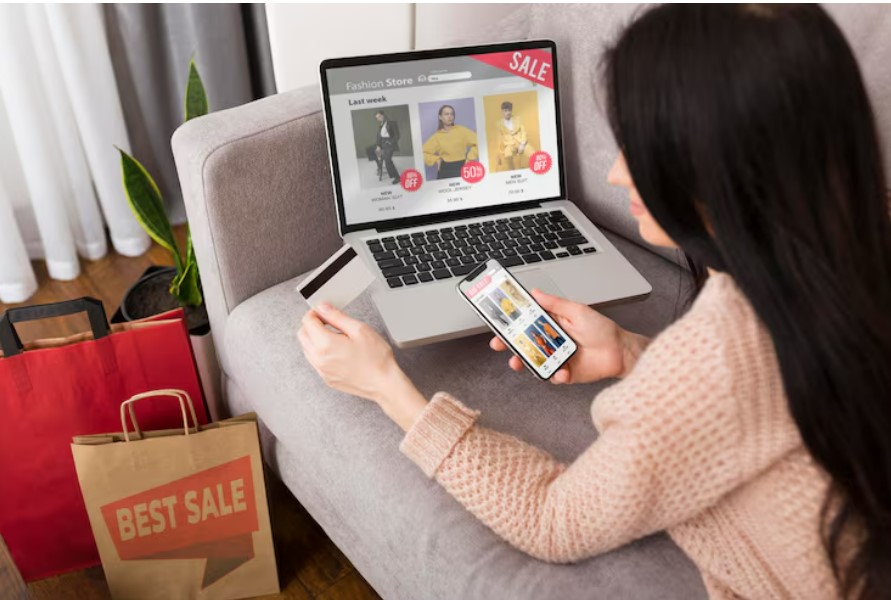
Promo codes are special alphanumeric strings that online shoppers enter at checkout to unlock instant discounts, free shipping, or exclusive perks from retailers. These digital coupons help businesses boost sales during promotions while letting you save big on fashion, electronics, groceries, and more. Whether it’s 20% off your cart or ₹500 cashback, promo codes turn regular shopping into smart savings—but only if you know how they truly operate behind the scenes.
The Creation and Backend Magic of Promo Codes
Retailers create promo codes using e-commerce tools like Shopify or custom systems to run targeted campaigns. A code like “SAVE20” might apply to first-time buyers, while “DIWALI50” targets festive shoppers with ₹50 off orders over ₹999. Codes get distributed through emails, social media, apps, or coupon sites that test them daily for validity.
When you enter a code, the store’s server instantly validates it against rules: minimum purchase amount, eligible products, expiration date, or one-use-per-customer limits. If conditions match, the discount recalculates your total in real-time. Stores track every redemption to measure success, cap usage, and prevent fraud like code sharing on public forums.
Types of Promo Codes and Their Benefits
Percentage-based codes (e.g., 15% off) shine on expensive items like laptops, scaling savings with your cart size. Fixed-value codes (₹200 off) work best for budget buys like clothing. Free shipping codes eliminate delivery fees on ₹499+ orders, often stacking with others for maximum impact.
Seasonal codes tie to events—Black Friday for tech, Valentine’s for gifts—while loyalty codes reward repeat visits. Referral codes give you and friends bonuses, and bundle codes like “BOGO” (buy one get one) encourage bigger hauls. Public codes work for all; exclusive ones need email sign-up.
Where and When to Hunt for the Best Codes
Official store pages, newsletters, and Instagram stories drop fresh codes first. Coupon aggregators scan thousands of sites, verifying codes before listing to save you trial-and-error. Browser extensions like Honey auto-test codes at checkout.
Prime times include midnight sales, weekends, and post-festival clearances when discounts hit 50-70%. For Indian shoppers, Flipkart Big Billion Days or Amazon Great Indian Festival yield the deepest cuts. Always check terms to avoid exclusions on sale items.
Common Pitfalls and Pro Tips
Expired codes or typos cause 80% of failures—copy-paste exactly. Case-sensitive? Try both. Minimum order not met? Add a low-cost filler. Fake codes from untrusted sites risk account bans; stick to verified sources.
Pro tip: Stack codes where allowed (e.g., promo + bank offer) for 40%+ savings. Clear browser cache if a code glitches. Track usage via apps to repeat winners.
Mastering discount coupons means effortless savings on Amazon, Flipkart, Myntra, Nykaa, and more. This foolproof process works across 90% of e-commerce sites, turning potential frustrations into guaranteed discounts.
Step-by-Step Guide: How to Apply Discount Coupons at Checkout on Popular Stores
Step 1: Build an Eligible Cart
Shop normally: Search deals, filter by “coupons available,” and add items. Check code terms upfront—many need ₹999+ totals or exclude clearance stock. On Amazon, clip “coupon” badges directly on product pages; Flipkart highlights SuperCoin-eligible deals.
Step 2: Proceed to Checkout
Hit your cart > “Buy Now” or “Place Order.” Guest checkout speeds things up for quick grabs. Review subtotal—tweak quantities if short of minimums like ₹1500 for free delivery coupons. Log in only if needed for wallet or address.
Step 3: Locate and Enter the Coupon Field
Scan for boxes labeled “Promo Code,” “Discount Coupon,” “Apply Voucher,” or “Gift Card/Promo”:
- Amazon: Scroll to “Order Summary” > “Add Gift Cards & Promos.”
- Flipkart: “Apply Coupons” tab lists auto-matches.
- Myntra: “Have Coupon Code?” under price breakdown.
- Nykaa: “Enter Promo Code” near payment gateway.
- Ajio/Swiggy Instamart: Similar “Apply Code” prompts.
Paste code from your clipboard (e.g., CouponBuddy), hit “Apply.” Success shows updated pricing; errors explain fixes like “minimum not met.”
Step 4: Verify and Complete Payment
Double-check the discount reflects correctly—e.g., original ₹2000 now ₹1600 after 20% code. Add bank offers or wallets for extra layers. Select payment (UPI, card, COD), confirm delivery, and place order. Screenshot success for records.
Troubleshooting Common Issues
Code not working? Clear cache, try incognito, or contact store chat. One-per-account limit hit? Use family member’s login (ethically). Mobile app often unlocks app-exclusive codes—switch if web fails.